Applying custom information to specific products in point of sale order
When building your field you can assign the field to apply to orders or line items. Fields that apply to line items will be applied to each line item as a line item property.
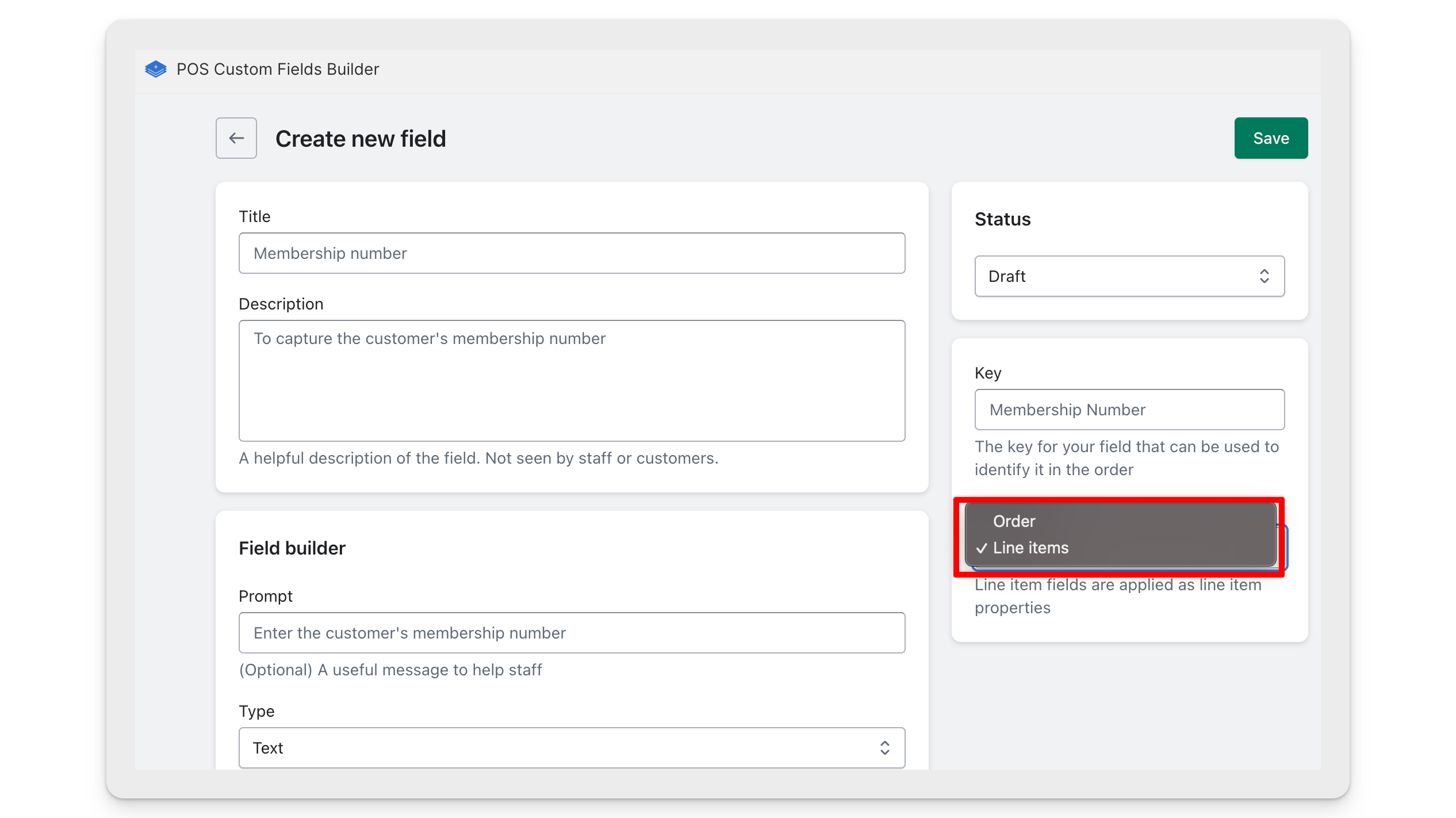
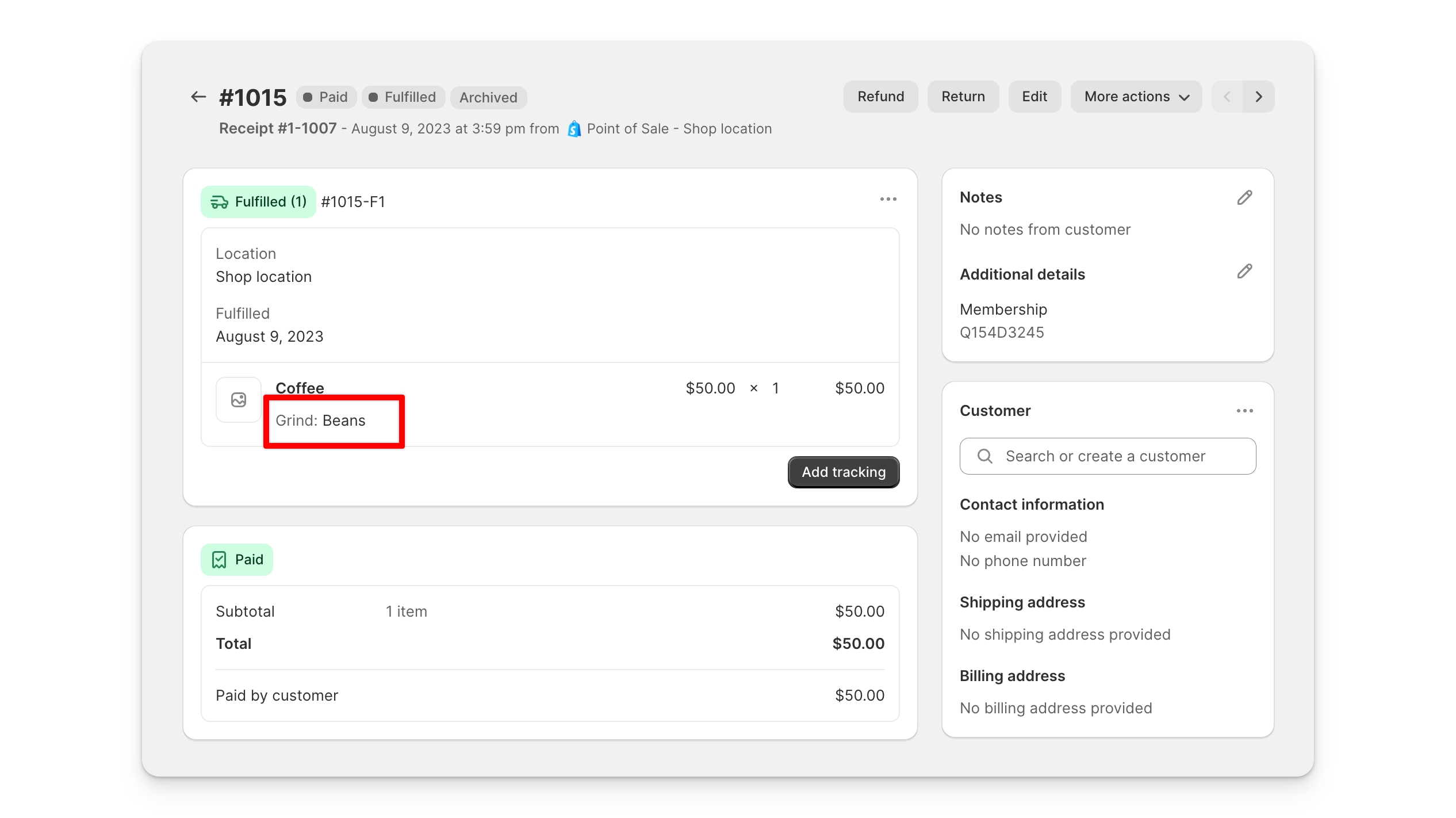
Line item fields are ideal for applying data to specific products in the cart - for example engraving options. Once the order is completed, the value will be stored as a line item property, which can't be edited in the Shopify admin without using the Shopify admin API or an app.
Applying fields to multiple quantities of the same product
If you have multiple quantities of the same product in the cart, you can apply different field values to each one. When applying a field, you'll be able to set the quantity you want to apply it to.
For example, if a customer orders 3 of the same cake and wants different messages on each, you can apply a unique message to each cake individually. Line items with different field values will be split in the cart using Shopify's default behaviour, allowing each item to retain its own custom data.