Field types
To capture data consistently in Shopify POS, choose a field type that matches the kind of value you need—for example, a number, a date, or a fixed list of options.
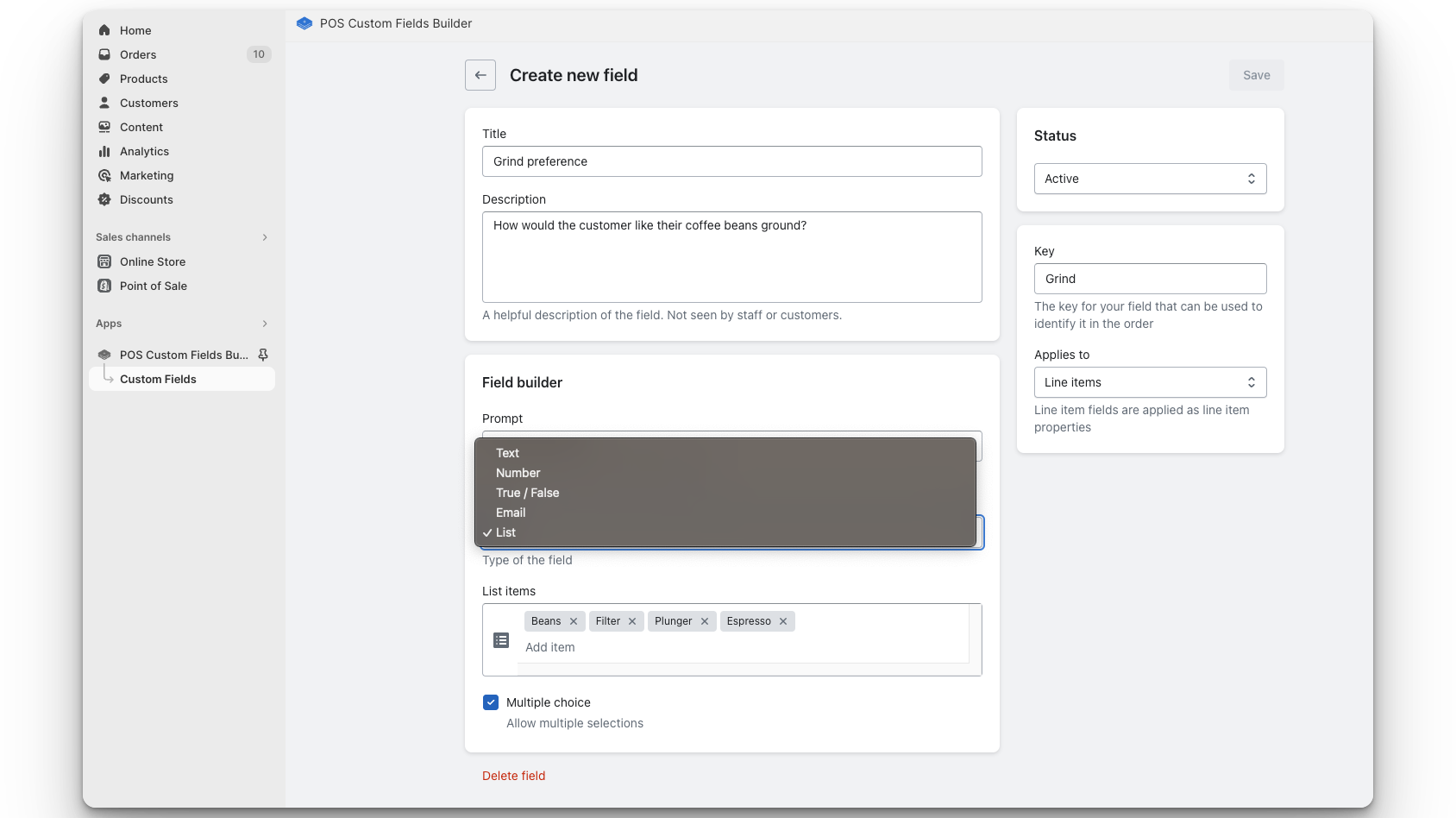
The types of fields you can create are:
- Text — free-form text. Optional prefix and suffix appear beside the input in POS and are added to the saved value when staff save (for example, a
#prefix on a membership number). - Number — numeric values only.
- True / False — yes/no toggle. You can set a default of True or False in field settings; that default is saved with the field so staff see the correct starting choice when they open the field in POS.
- Email — email address with format validation.
- List — predefined options that staff select from; single or multiple choice. In field settings, you can turn on selection limits to require a minimum and/or maximum number of choices (for multiple-choice lists). Staff cannot save until their selection is within those limits.
- Date — calendar date.
- Time — time of day.