

Adding to POS devices
To apply custom fields to POS orders you need to add the ShopFields Builder tile to your point of sale devices.
The home screen of Shopify POS app has a smart grid that lists out the tiles you have added. You can read more about tiles and the smart grid in Shopify's help manual.
Adding via Shopify admin
In your point of sale sales channel settings click on the tile you would like to add, then select the location to add the tile to.
Adding on point of sale device
To add the ShopFields Builder tile to your POS devices:
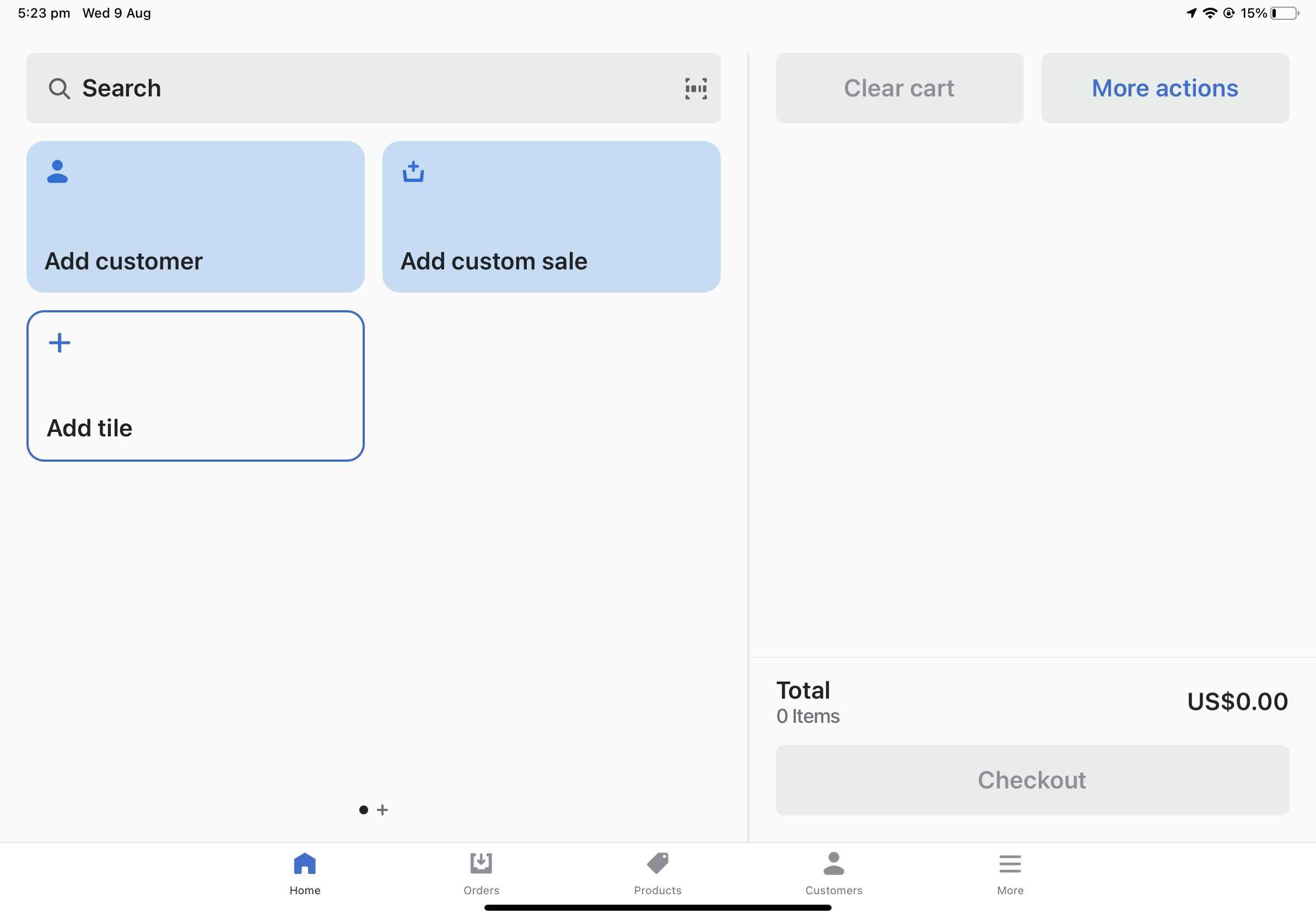
Open the home page of the POS device and click "Add tile"
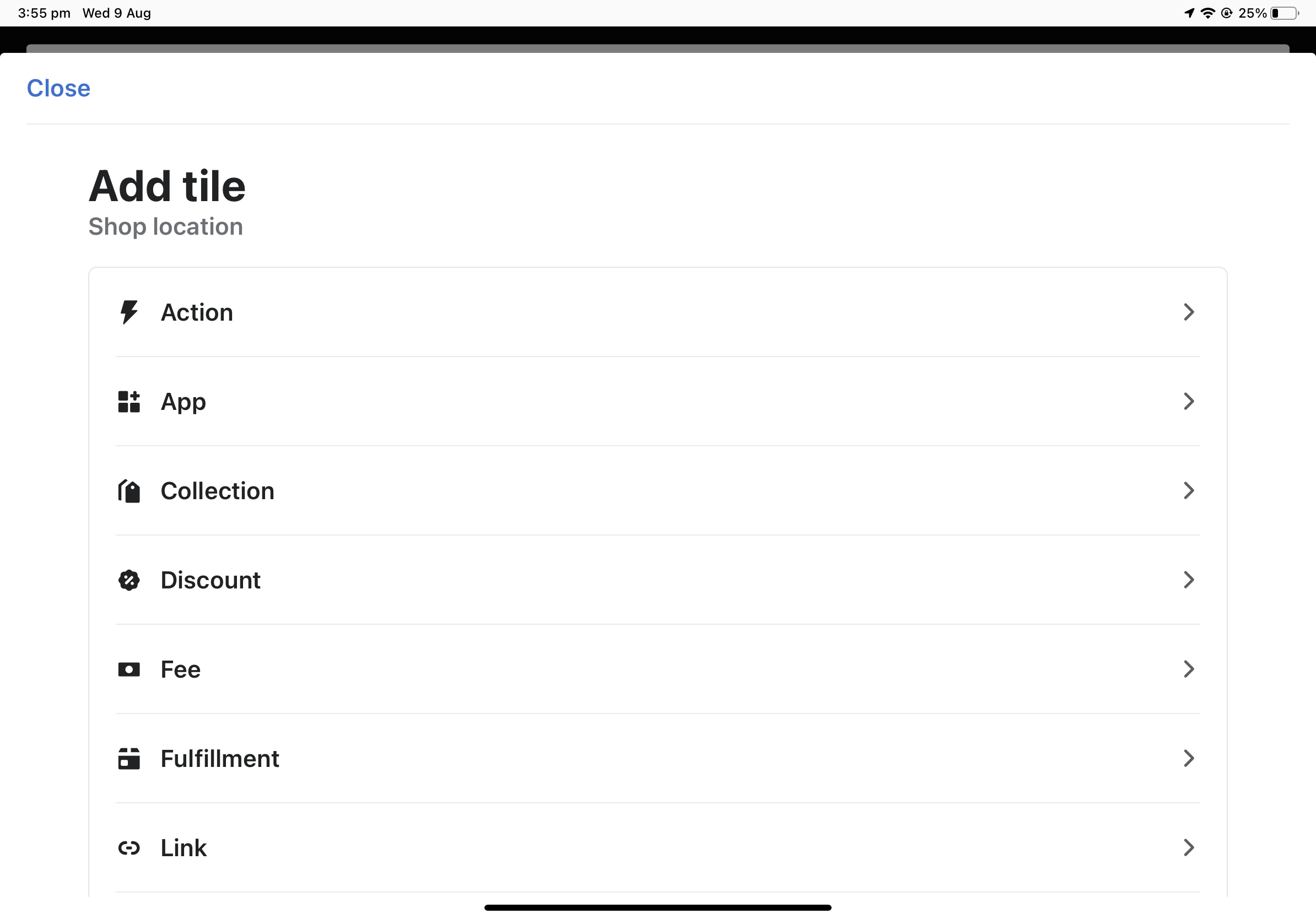
Click "App"
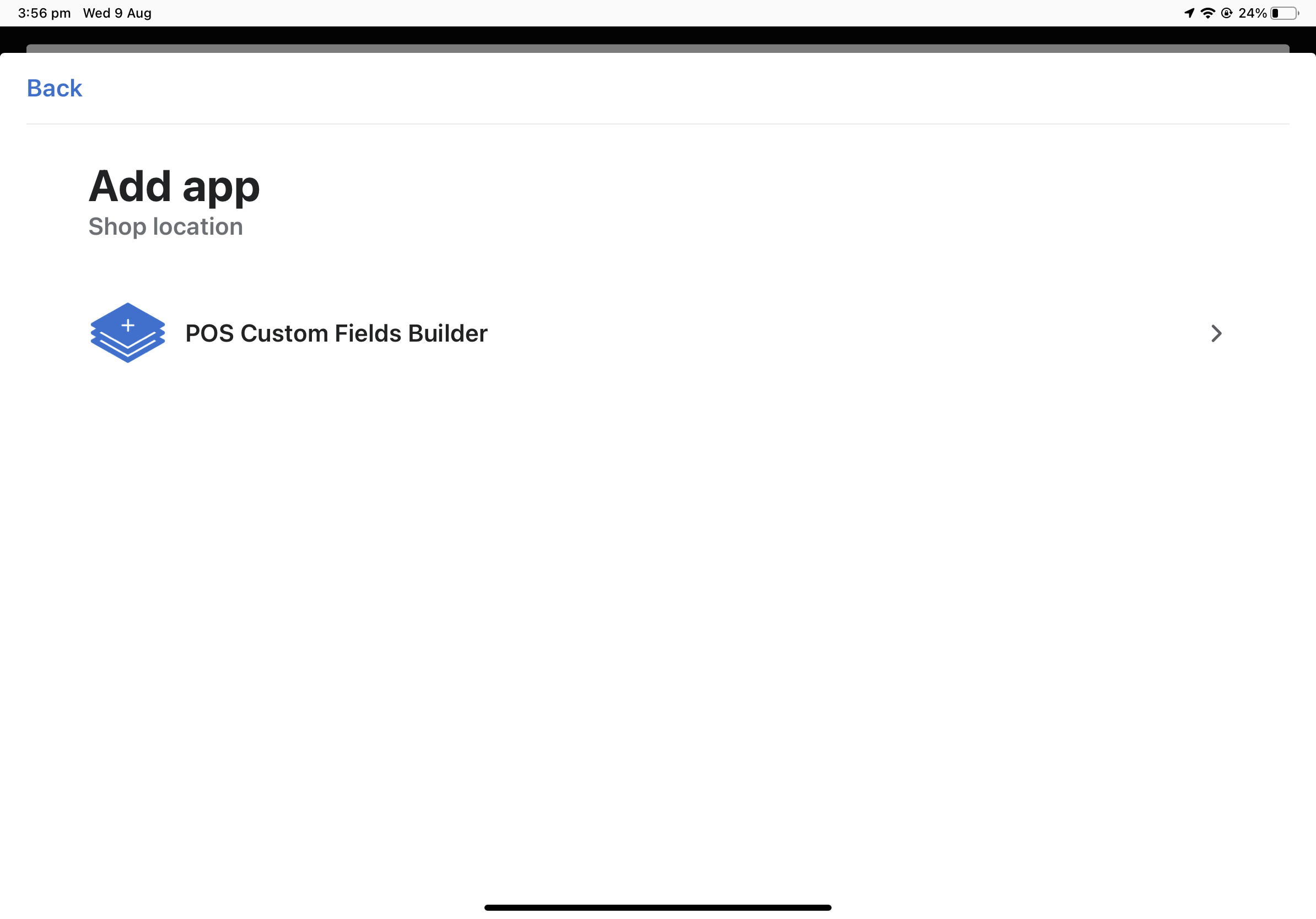
Select the "ShopFields Builder" app
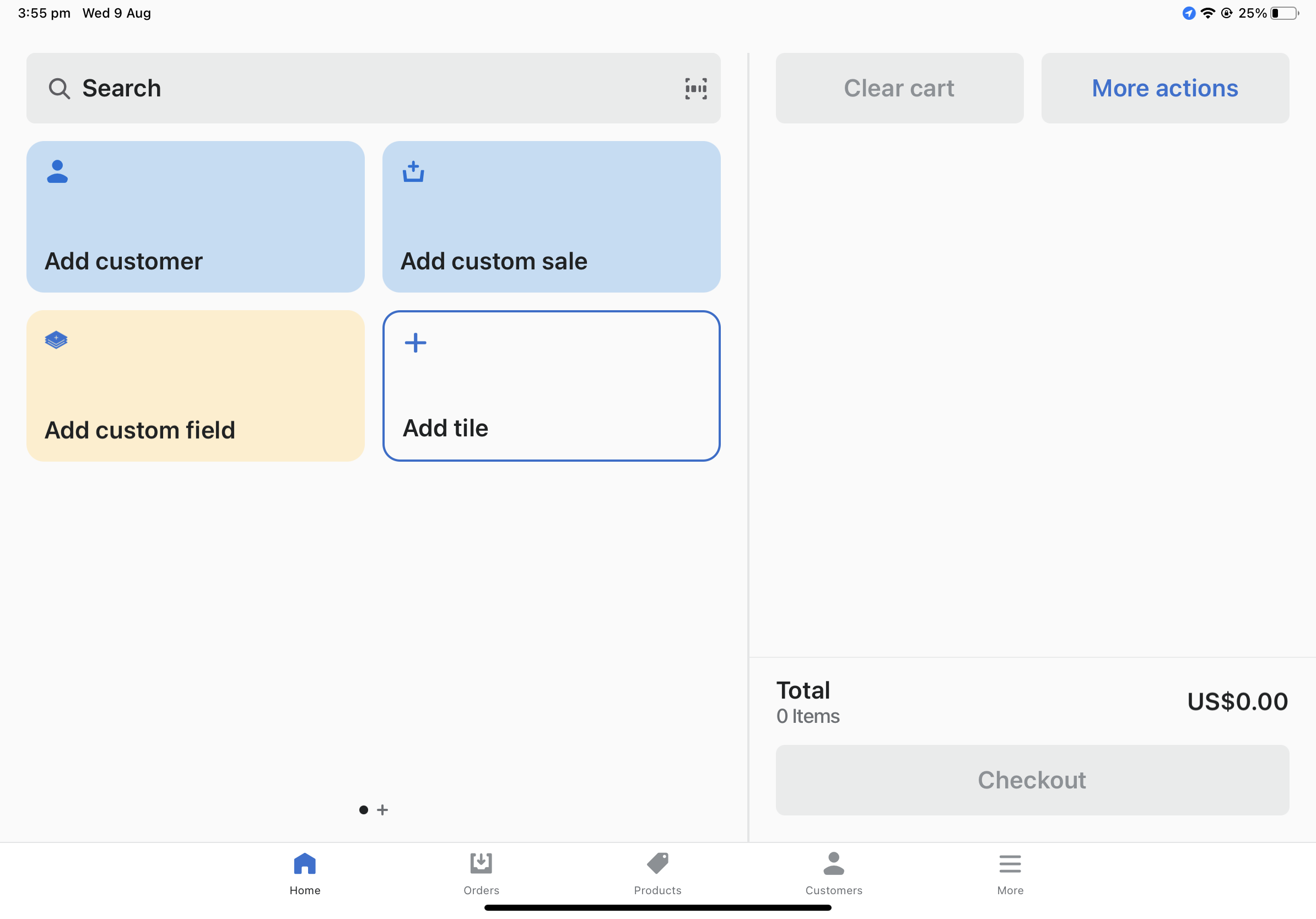
The POS Custom Field Builder should now be available
More help