

Responses
ShopFields has a built in "Responses" tab that allows you to search for orders that contain your field's value.
Responses
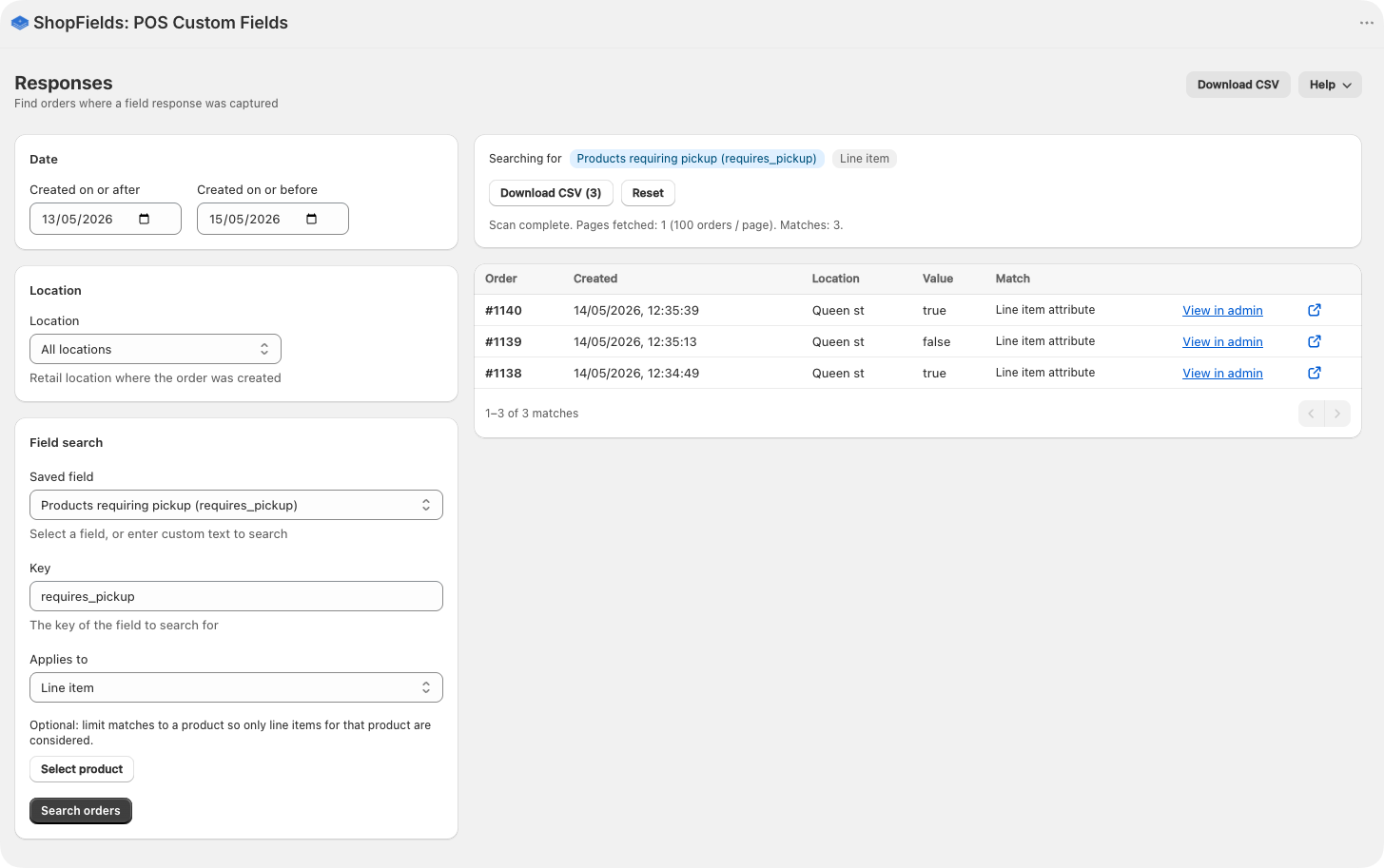
The responses tab is available on our Growth and Scale plans and allows you to search through your orders to find:
Specific fields applied to orders
Fields applied to particular products
Fields that have been applied on a certain date range
Fields that were applied at certain locations
You can also download your responses into a CSV file.
Because we use the native admin search, we do not need to store any response values. Additionally, we have gone through Shopify's order and protected data access review to make sure we have proper access.
Using Shopify Flow to tag orders for searching
You can also use Shopify Flow to tag your incoming orders to make them easier to find, or to enrich them further. You might want to take some automated action on orders, based on the presence of a field that's been applied by a team member instore with ShopFields.
For example, a coffee shop can create a custom field with the key "Grind" that stores the type of grind customers want for their coffee. When it comes time to process orders, they might want to search for all orders where the Grind was captured as "Beans", and perhaps put the order on hold.
ShopFields stores custom values as an order attributes which aren't searchable in the admin. So to make field values searchable they will need to also be added as tags using Shopify Flow. This is a sample Shopify Flow that applies the "IMEI" custom field value to the order as a tag.
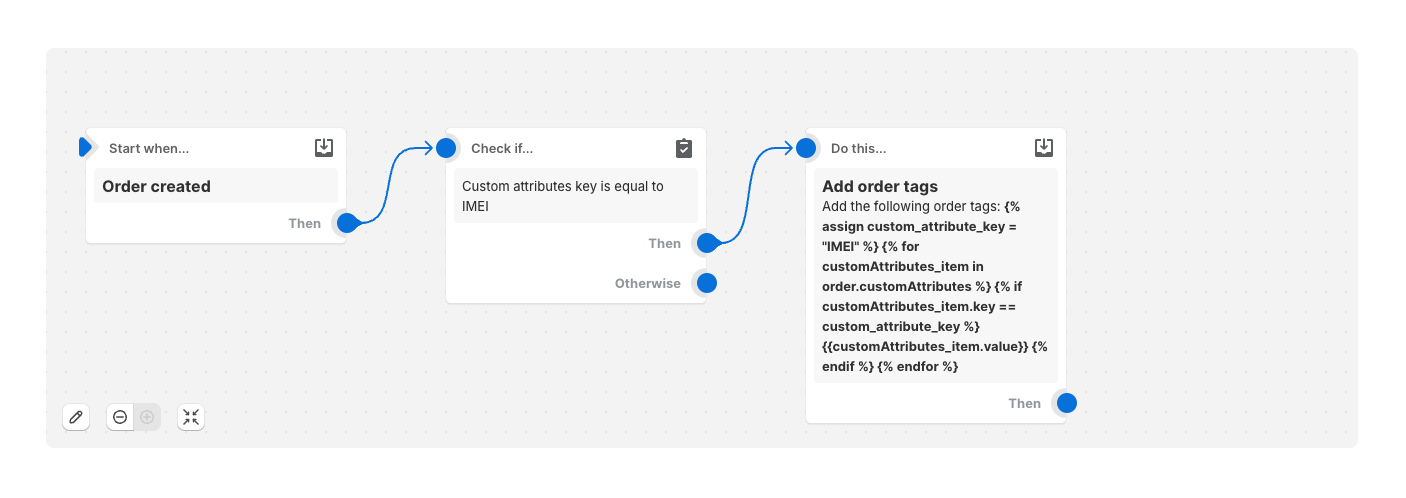
The last action is where we loop over our custom attributes looking for our key. If we find it, we apply that keys value. To use this in your own workspace, you can change "IMEI" to the key that you are working with (ie "Grind").
{% assign custom_attribute_key = "IMEI" %}{% for customAttributes_item in order.customAttributes %} {% if customAttributes_item.key == custom_attribute_key %} {{customAttributes_item.value}} {% endif %}{% endfor %}
Working with tags
When working with tags it is important to remember that they can potentially be viewed by customers. So sensitive information is best put in metafields.